Accessibility as Innovation: Designing for Every Learner
Accessibility is often treated as something we address after a learning experience has already been designed. A learner reports that a video does not include captions. Someone cannot navigate an activity using a keyboard. A document is difficult to read with assistive technology. Only then do we return to the design and try to remove the barrier.
But what if accessibility were not viewed as a repair? What if it became one of the ways we create more flexible, intuitive, and innovative learning experiences from the beginning?
Accessibility is not simply a compliance requirement or an accommodation for a small group of learners. It is a design practice that can improve the experience for everyone. As learning becomes increasingly digital, personalized, and technology-driven, accessibility must become part of how we define good design.
Moving Beyond the “Average Learner”
Many learning experiences are still designed around the idea of an average learner. We may imagine someone who can see every visual, hear every recording, navigate every interaction, process information at the same pace as everyone else, and demonstrate learning through one preferred format. In reality, there is no single average learner.
Learners bring different abilities, experiences, language backgrounds, levels of confidence, technological resources, attention demands, and environmental circumstances into every learning experience.
Someone may be completing a course in a noisy environment. Another learner may be temporarily unable to use a mouse because of an injury. Someone may be reading in a second language. Another person may process written information more effectively when it is paired with audio. These differences are not exceptions to the learning experience. They are part of normal learner variability.
Designing for every learner does not mean predicting every possible individual need. It means recognizing variability from the beginning and creating an experience that offers more than one reasonable way to access information, participate, and demonstrate understanding. That shift leads us from reactive accommodation toward proactive design.
Accessibility Is a Source of Innovation
When people hear the word accessibility, they may immediately think about regulations, audits, checklists, or legal risk. Those considerations matter, but they represent only part of the picture. Accessibility can also serve as a catalyst for innovation.
When we ask how someone with a particular barrier will experience a course, website, document, or activity, we often discover ways to make the experience clearer and more usable for many other people as well.
Consider captions and transcripts. Captions are essential for learners who are Deaf or hard of hearing, but their benefits extend much further. They also support people watching a video in a noisy location, learners who cannot play audio, people encountering unfamiliar terminology, and anyone who prefers to read along while listening.
A transcript gives learners another way to review information, search for an important point, or revisit a specific section without replaying an entire video. The accessible solution does not merely serve one group. It expands the usefulness of the learning experience.
This is the heart of accessibility as innovation: identifying a barrier, removing it intentionally, and recognizing how the solution can create broader benefits.
Three Shifts for More Accessible Learning Design
Designing accessibility into a learning experience requires more than adding a few features before launch. It requires a different way of thinking about the design process. Three shifts can help us begin.
Shift #1: From Fixing Barriers Later to Preventing Them Early
The first shift is from remediation to prevention. When accessibility is considered only at the end of a project, changes can become more difficult, expensive, and time-consuming. Designers may need to rebuild interactions, recreate documents, revise videos, or reconsider an entire technology choice.
When accessibility is included from the beginning, it becomes part of ordinary design decisions. Before creating a video, we can plan for captions and a transcript. Before building an interactive activity, we can determine whether it can be navigated without a mouse. Before selecting colors, we can consider whether the contrast will make the content readable. Before publishing a document, we can use meaningful headings and a logical reading order.
Proactive accessibility does not require perfection. It requires intentionality.
A helpful question to ask early in the process is: Where might a learner encounter difficulty accessing, navigating, understanding, or responding to this content?
Asking that question during planning gives us an opportunity to prevent barriers rather than waiting for learners to discover them.
Shift #2: From One Required Path to Meaningful Options
The second shift is from providing one way to learn toward offering meaningful choices. A learning experience may require everyone to consume information in the same format, complete activities in the same sequence, or demonstrate learning through the same method. While consistency can sometimes be helpful, unnecessary rigidity can create barriers.
Providing options does not mean lowering expectations or designing a completely different course for every learner. It means separating the learning goal from a format that may not be essential to that goal.
For example, when the objective is to explain a concept clearly, learners might be able to submit a written response, an audio explanation, or a short presentation. Each option can still be evaluated using the same criteria.
When presenting new information, we might combine concise text with relevant visuals and spoken explanation. Learners then have more than one way to engage with the content.
Options should always be purposeful. Adding unnecessary formats, buttons, or activities can increase cognitive load and make the experience more confusing. The goal is not to provide endless choices. It is to offer enough flexibility that the format itself does not become an avoidable obstacle.
Shift #3: From Compliance Thinking to Better Experience Design
The third shift is from asking whether an experience technically passes to asking whether it genuinely works for learners. A checklist can help us identify important requirements, but compliance alone does not guarantee a positive experience. A video may technically include captions, but those captions may contain errors. An image may have alternative text, but the description may not communicate its instructional purpose. A page may meet minimum color-contrast requirements while still being crowded and difficult to follow.
Accessible design requires us to look beyond the presence of a feature and consider its quality. We can ask:
-
Are the instructions clear and easy to locate?
-
Can learners understand the page structure?
-
Do links clearly describe where they lead?
-
Are videos, documents, and activities usable in more than one context?
-
Can someone complete the essential task without unnecessary frustration?
-
Does the technology support the learner, or does it call attention to itself?
These are accessibility questions, but they are also questions about usability and good instructional design. Accessibility does not sit beside the learner experience. It helps shape the learner experience.
The Accessibility Innovation Check
You do not need to redesign an entire course at once to make meaningful progress. Begin with one learning resource, activity, or process and apply the following three-step check.
Question #1: Spot the Barrier
Review the experience from the learner’s perspective. Where might someone have difficulty perceiving the content, navigating the environment, understanding the instructions, maintaining focus, or completing the task?
Look beyond permanent disabilities. Consider temporary limitations, environmental constraints, language differences, technological access, and varying ways of processing information.
Question #2: Remove It Proactively
Determine what change could prevent the barrier before a learner has to request assistance. This might involve adding captions, improving document structure, simplifying instructions, increasing readability, providing keyboard access, or choosing a more accessible tool.
The earlier the barrier is addressed, the more naturally the solution can become part of the design.
Question #3: Expand the Benefit
Consider who else may benefit from the improvement. Captions can help someone in a noisy location. Clear headings can support a screen-reader user while also making a document easier for everyone to scan. Consistent navigation can support learners with cognitive disabilities while reducing confusion for all users.
This final step helps us move beyond the idea that accessibility serves only a small audience. Accessible choices often improve efficiency, flexibility, and clarity across the entire learning experience.
Accessibility and Emerging Technology
Technology can open new possibilities for accessibility, but innovation should not be confused with novelty. Artificial intelligence, adaptive learning systems, immersive environments, and other emerging tools may offer new ways to personalize content and support learners. At the same time, they can introduce new barriers when accessibility is not considered during development or selection.
Before adopting a new tool, we should examine more than its most impressive features. Can it be used with assistive technologies? Does it require precise movement or visual perception? Are audio and video alternatives available? Can learners control timing, motion, or playback? Is the interface clear and predictable?
A tool is not truly innovative if it excludes part of the intended audience. The future of learning should not merely introduce more advanced technology. It should create more equitable opportunities for learners to participate and succeed.
Accessibility Is a Shared Responsibility
Accessibility should not belong to one specialist at the end of a project. Instructional designers, faculty members, facilitators, developers, media producers, technology vendors, and organizational leaders all influence the accessibility of a learning experience.
Designers can create accessible structures and interactions. Instructors can provide clear materials and flexible ways to participate. Leaders can include accessibility in project timelines, budgets, procurement decisions, and quality standards.
Learners can also provide valuable insight, but they should not carry the full responsibility for identifying and explaining every barrier they encounter.
Feedback remains important. However, our goal should be to reduce the number of barriers learners are forced to report. Accessibility becomes sustainable when it is embedded in the culture and workflow of an organization rather than dependent on one person remembering to address it.
Start with One Meaningful Change
Making a learning experience more accessible can initially feel overwhelming, particularly when an existing course contains many resources and technologies. The solution is not to ignore the work until everything can be addressed at once.
Choose one meaningful place to begin. Review the video learners watch most often. Examine the document used throughout the course. Test a frequently assigned activity using only a keyboard. Read the instructions from the perspective of someone encountering the task for the first time.
Then ask yourself the following question: Am I designing access into this experience, or am I waiting for learners to tell me where the barriers are?
That question can reveal where the most important opportunities exist. Each barrier removed makes the experience more welcoming. Each option added thoughtfully gives learners another way to participate. Each proactive decision moves accessibility from an afterthought into the center of the design process.
Designing a More Inclusive Future
Accessibility is not simply about responding to limitations. It is about expanding possibilities. When we design for learner variability, we create experiences that are more flexible, understandable, and resilient. We make it easier for learners to access content in different environments, use different technologies, and engage in ways that align with their needs.
Accessible design does not reduce innovation. It challenges us to innovate more thoughtfully. The future of learning should not require learners to overcome avoidable barriers before they can participate. It should invite them in from the beginning.
When we treat accessibility as a foundation rather than a final correction, we do more than meet a requirement. We design better learning for everyone.
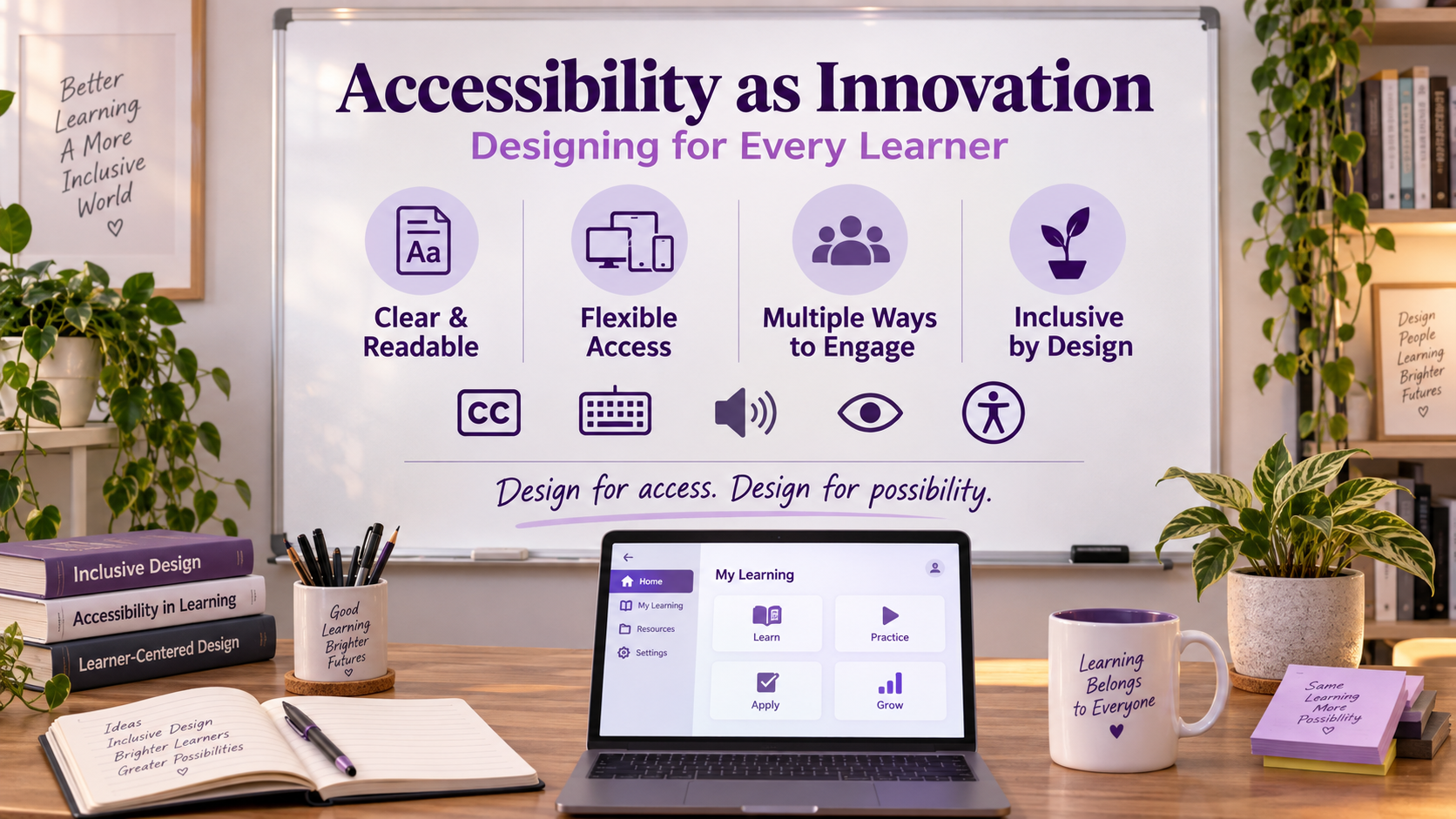
🖼️ Image Disclosure: This featured image was generated with AI using ChatGPT and reviewed by the author.

Award-Winning Instructional Designer, College Professor, Consultant, and Podcast Host
Jackie Pelegrin is an award-winning instructional designer, adjunct instructor at Grand Canyon University, podcast host, and consultant. Her experience spans higher education and corporate learning, and she holds an MBA and a master’s degree in Instructional Design and Technology. An Arizona native, Jackie enjoys reading, movies, games, and time with family and friends.
Building Responsible AI Governance With Dr. Latha Karthigaa