How to Improve AI Output Consistency: 3 Essential Prompting Patterns
As instructional designers and educators, we value the consistent quality of AI-generated content for effective learning experiences. In this post, we'll explore how to use specific prompting patterns to improve AI outputs and achieve more predictable results.
Understanding the Importance of Clear Prompts
AI output quality isn't random; it's significantly influenced by the input you provide. Just as you wouldn't build instruction without understanding your audience and goals, AI requires clarity in prompts to produce strong outputs. This post will break down three reusable prompting patterns that can help you design better prompts intentionally and systematically.
The Spec Prompt
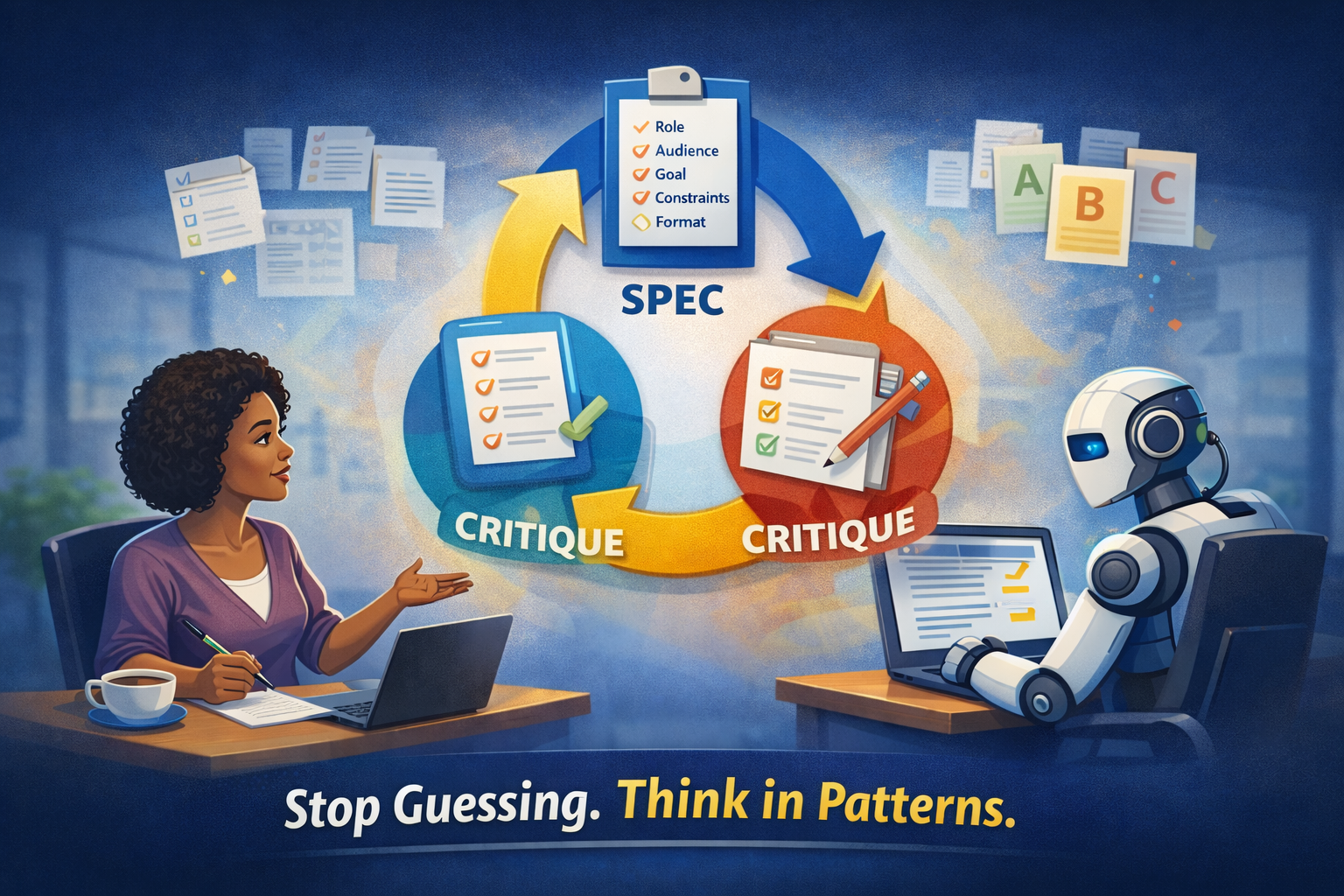
The first pattern we'll discuss is the Spec Prompt. This method is effective when you want quick and usable prompts.
- Why This Matters: Clear specifications lead to better AI results by outlining exactly what you need.
- How to Do It: Use the formula: Role, Audience, Goal, Constraints, Format. For example:
-
- Role: You are an instructional designer.
- Audience: New hires.
- Goal: Reduce common errors.
- Constraints: Five minutes, plain language, accessible.
- Format: Outline with three sections and a quick practice activity.
- Example: When the designer switched to the spec pattern, the output became far more relevant and tailored to their needs.
- Common Mistake: A vague initial prompt can lead to generic outputs. Always specify the role, audience, and format.
The Critique Prompt
Next, we have the Critique Prompt, which is useful when you already have a draft and seek to improve it.
- Why This Matters: This pattern allows you to refine existing content systematically.
- How to Do It: Present the draft, evaluate it using specific criteria, and suggest revisions. For instance:
- Draft: "Review this outline for clarity, alignment to outcomes, and opportunities for practice plus feedback."
- Example: The designer used the critique pattern to ensure their content was clear and aligned with learning outcomes.
- Common Mistake: Not defining evaluation criteria can lead to vague feedback. Always clarify what aspects need improvement.
The Variations Prompt
The final pattern is the Variations Prompt, ideal for creating multiple versions without starting from scratch.
- Why This Matters: This method saves time while enabling tailored outputs tailored to varying objectives.
- How to Do It: Use the formula: Create three options, keep constants, and vary one dimension. For example:
- Create: Three scenario options, keeping the same objective and tone but varying the difficulty level (easy, medium, hard).
- Example: The designer successfully used this pattern to generate scenarios at different difficulty levels, enhancing engagement.
- Common Mistake: Changing multiple variables at once can lead to confusion about what caused the improvement. Focus on one change at a time.
Conclusion
By implementing these three prompting patterns—Spec, Critique, and Variations—you can enhance the consistency and quality of AI outputs in your instructional design projects. Remember, clarity is key in prompting; it leads to better results and more effective learning experiences.
Key Takeaways
- Use clear specifications to guide AI outputs.
- Regularly critique drafts to refine content.
- Create variations to tailor learning experiences to diverse needs.
Next Step
To further hone your prompting skills, save three prompts in a note-taking app—one spec prompt, one critique prompt, and one variations prompt—and use them on a real project.
🔗 Episode Links
Please check out the resource mentioned in the episode. Enjoy!
🖼️ Image Disclosure: This featured image was generated with AI using ChatGPT and reviewed by the author.

Award-Winning Instructional Designer, College Professor, Consultant, and Podcast Host
Jackie Pelegrin is an award-winning instructional designer, consultant, and adjunct instructor at Grand Canyon University. Her experience spans higher education and corporate learning, and she holds an MBA and a master’s degree in Instructional Design and Technology. An Arizona native, Jackie enjoys reading, movies, games, and time with family and friends.
Future Ready Learning: Designing Education for What Comes Next