Accessibility is Not Optional: Why Proactive Design Matters for All Learners
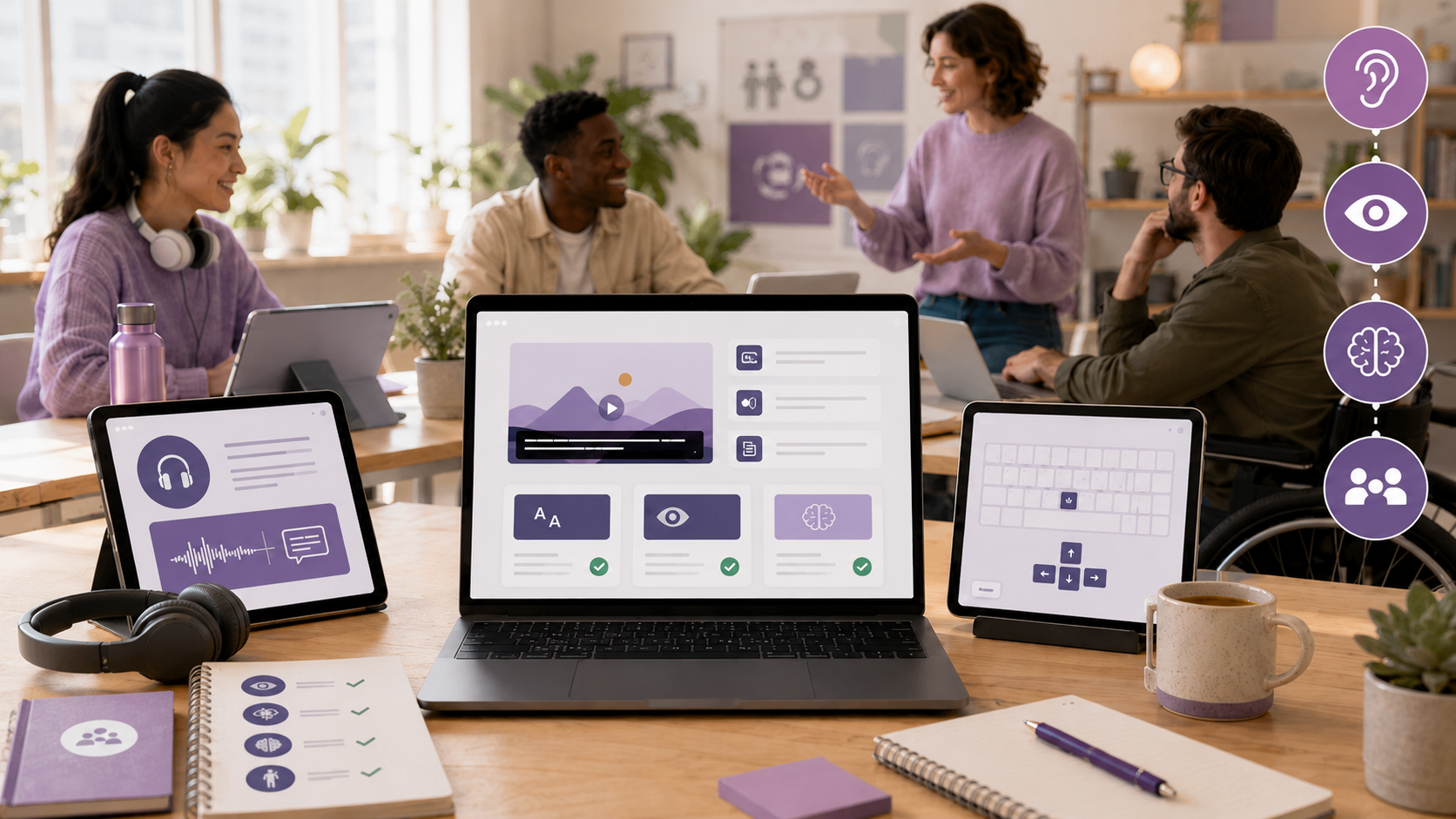
In the world of instructional design, one myth often persists: accessibility is optional if learners don’t request it. This misconception can lead to unnecessary barriers in learning experiences, making it vital for educators and instructional designers to rethink their approaches. In this post, we will explore why accessibility should be an integral part of the design process, how it benefits all learners, and actionable steps you can take to enhance accessibility in your educational resources.
Understanding the Myth: Accessibility is Optional
Many believe that if learners do not request accommodations, then accessibility is not a priority. This mindset can cause significant issues, as not every learner feels comfortable disclosing their needs. Furthermore, some learners may not even realize they have access needs until they encounter barriers in the learning process. Thus, accessibility should not be seen as a reactive measure but rather as a proactive design responsibility.
The Importance of Proactive Accessibility
Why Accessibility Matters
When accessibility is treated as an afterthought, it can turn into a compliance task rather than an essential aspect of effective instructional design. By integrating accessibility into the design process from the beginning, educators can create learning experiences that are clearer, more flexible, and usable for everyone. This approach not only benefits those who may have specific access needs but enriches the learning environment for all participants.
Recognizing Hidden Barriers
Accessibility challenges are often not visible. A learner may face difficulties related to their environment, such as watching a video in a noisy place, or they might be using devices that complicate their learning experience. By acknowledging that learners come with diverse needs and circumstances, educators can begin to design learning experiences that take these variables into account, thereby removing barriers before they become issues.
Steps to Integrate Accessibility into Design
Shift from Reactive to Proactive
Instead of waiting for accommodation requests, educators should strive to identify potential barriers early in the design process. Ask questions like: What obstacles might a learner face? How can I make this content more accessible now? This shift in mindset allows for a more inclusive approach and fosters a learning environment where all students can thrive.
Practical Design Considerations
- Plan for Captions and Transcripts: Always consider including captions and transcripts for videos to support various learning styles and needs.
- Use Readable Fonts and Strong Contrast: Opt for fonts that are easy to read and ensure strong color contrast for text and backgrounds to accommodate those with visual impairments.
- Organize Content with Clear Headings: Use headings and subheadings to guide learners through the material, making navigation easier.
- Avoid Reliance on Color: Ensure that information is not conveyed through color alone, as this can exclude learners with color blindness.
- Test for Usability: Regularly review your materials for clarity and ease of access, providing opportunities for feedback from learners.
Accessibility as a Design Responsibility
Accessibility is not just about meeting legal requirements; it is about creating an inclusive learning culture. By adopting Universal Design for Learning (UDL) principles, educators can cater to learner variability and design experiences that are effective for everyone. The Web Content Accessibility Guidelines (WCAG) serve as a robust framework to consider accessibility throughout the design process.
Accessibility: An Ongoing Commitment
Accessibility should not be viewed as a box to check off at the end of the design process; instead, it is an ongoing commitment to improving learning experiences for all. By considering accessibility at every stage of instructional design, educators can foster an environment that not only meets compliance standards but also enhances the overall quality of education.
Conclusion
In summary, accessibility is not optional; it is a fundamental aspect of effective instructional design that should be integrated from the beginning. By proactively considering the needs of all learners, educators can create more engaging, flexible, and usable learning experiences. This week, challenge yourself to evaluate one of your learning resources and identify at least one accessibility improvement you can implement. Remember, it’s not about achieving perfection but making intentional progress toward inclusivity.
🔗 Episode Links
Please check out the resources mentioned in the episode. Enjoy!
Myth Reset Case File: Accessibility from the Start
Related Episode: Designing for Everyone: A Guide to Universal Design for Learning
W3C Web Accessibility Initiative
Web Content Accessibility Guidelines
🖼️ Image Disclosure: This featured image was generated with AI using ChatGPT and reviewed by the author.

Award-Winning Instructional Designer, College Professor, Consultant, and Podcast Host
Jackie Pelegrin is an award-winning instructional designer, adjunct instructor at Grand Canyon University, podcast host, and consultant. Her experience spans higher education and corporate learning, and she holds an MBA and a master’s degree in Instructional Design and Technology. An Arizona native, Jackie enjoys reading, movies, games, and time with family and friends.
The Evolution of AI and Its Ethical Implications in Content Creation With Dr. Dwayne Wood