Apple Podcasts
 Spotify
 Youtube Music
 Amazon Music
 iHeartRadio
 Podcast Addict
 PocketCasts
  Podchaser
  Deezer
  PlayerFM
  Castro
  Castbox
  Goodpods
 Inside Pictory: Simple AI Workflows for Educators and Teams With Vikram Chalana

Key Takeaways
- To simplify AI video workflows, focus on reusing existing assets like slide decks and articles instead of starting from a blank screen.
- Instructional designers should prioritize microlearning by keeping videos between two to four minutes to maintain engagement and prevent cognitive overload.
- Using best-of-breed AI integrations, such as specialized voice and text models, allows creators to produce high-quality professional videos without needing advanced editing skills.
- Improve learner retention by incorporating interactive elements like knowledge checks and quizzes directly into your video content.
- Prioritize accessibility in your video production process by defaulting to captions and using diverse, engaging voiceovers.
What if making great learning videos felt like finishing a slide deck—familiar, fast, and oddly satisfying? Jackie sat down with Pictory co‑founder Vikram Chalana to unpack a clear path from messy tools to simple, repeatable workflows that help educators and L&D teams publish short, accessible videos at scale. No timeline acrobatics. No blank‑screen dread. Just practical steps that turn content you already trust into engaging microlearning.
Vikram shares the three design choices that shaped Pictory’s approach: keep editing as simple as PowerPoint, start from existing assets to skip the blank page, and integrate best‑of‑breed AI models instead of building everything in‑house. From OpenAI for text to high‑quality voices and licensed visuals, the stack is curated so you don’t waste hours evaluating tools.
Throughout the conversation, we focus on learning effectiveness. You’ll hear concrete guidance on keeping videos two to four minutes, using captions by default, tightening scenes to avoid cognitive overload, and adding quick knowledge checks to boost retention. For busy instructors and training teams, the biggest shift is simple: repurpose first, create second.
If you’re ready to reduce production time, improve accessibility, and deliver learner‑focused videos without the headache, this one’s for you. Subscribe, share with a colleague who wrangles slides every week, and leave a review to tell us which workflow you’ll try first.
🔗 Website and Social Links:
Please visit Vikram Chalana’s website and social media links below.
📢 Call-to-Action: Check out Pictory’s AI video platform, where you can turn text, blogs, scripts, or long videos into short, professional videos in minutes. It helps creators, marketers, educators, and business owners save time, reduce production costs, and repurpose existing content into video without needing editing skills or complex software. It is a practical starting point for anyone who wants to create more video content with less effort.
Join PodMatch!
Use the link to join PodMatch, a place for hosts and guests to connect.
Disclaimer: This post contains affiliate links. If you make a purchase, I may receive a commission at no extra cost to you.
💟 Designing with Love + allows you to support the show by keeping the mic on and the ideas flowing. Click on the link above to provide your support.
☕ Buy Me a Coffee is another way you can support the show, either as a one-time gift or through a monthly subscription.
🗣️ Want to be a guest on Designing with Love? Send Jackie Pelegrin a message on PodMatch, here: Be a guest on the show
🌐 Check out the show's website here: Designing with Love
📱 Send a text to the show by clicking the Send Jackie a Text link above.
👍🏼 Please make sure to like and share this episode with others. Here's to great learning!
Frequently Asked Questions
How can I turn a PowerPoint into a video automatically?
You can use AI video platforms like Pictory to upload your PowerPoint deck, which will then automatically convert your slides and notes into a narrated video complete with visuals.
What is the best way to create microlearning videos for students?
The most effective approach is to take existing long-form content, such as lecture recordings or webinars, and use AI tools to slice them into smaller, two-to-four-minute segments focused on a single learning objective.
How do I avoid generic-looking AI video content?
Keep your videos authentic by using your own proprietary content—such as your existing slide decks or scripts—rather than relying on generic AI prompts, and personalize the experience with custom voice or avatar cloning.
Why is it important to use captions in educational videos?
Captions are essential for accessibility, ensuring that all learners can engage with the material, and they also help maintain focus and improve retention in diverse learning environments.
00:00 - Welcome & Guest Introduction
01:07 - The Pain Point Behind Pictory
03:20 - Three Core Product Design Choices
06:20 - Why Pick Best‑Of‑Breed AI Tools
08:15 - Time Savings For Instructional Designers
09:45 - Workflow 1: PowerPoint To Video
13:14 - Workflow 2: Script Or Prompt To Video
15:04 - Workflow 3: URL To Summary Video
17:04 - Workflow 4: Auto Microlearning From Long Video
18:54 - Best Practices: Keep It Short And Accessible
20:49 - Quizzes, Captions, Voices, Avatars
22:54 - Upcoming Voice & Face Cloning
24:44 - Personalization & Classroom Engagement
26:44 - Updating Courses Without Re‑Recording
28:04 - Avoiding Generic AI: Authentic Inputs
29:44 - Beyond Slides: Visuals & Animation
31:44 - The Pictory Power Move
32:44 - The Mindset Shift: Repurpose And Shorten
34:14 - Connect On LinkedIn & Closing Thanks
35:47 - Support, Reviews, & Ways To Help
Welcome & Guest Introduction
Jackie Pelegrin
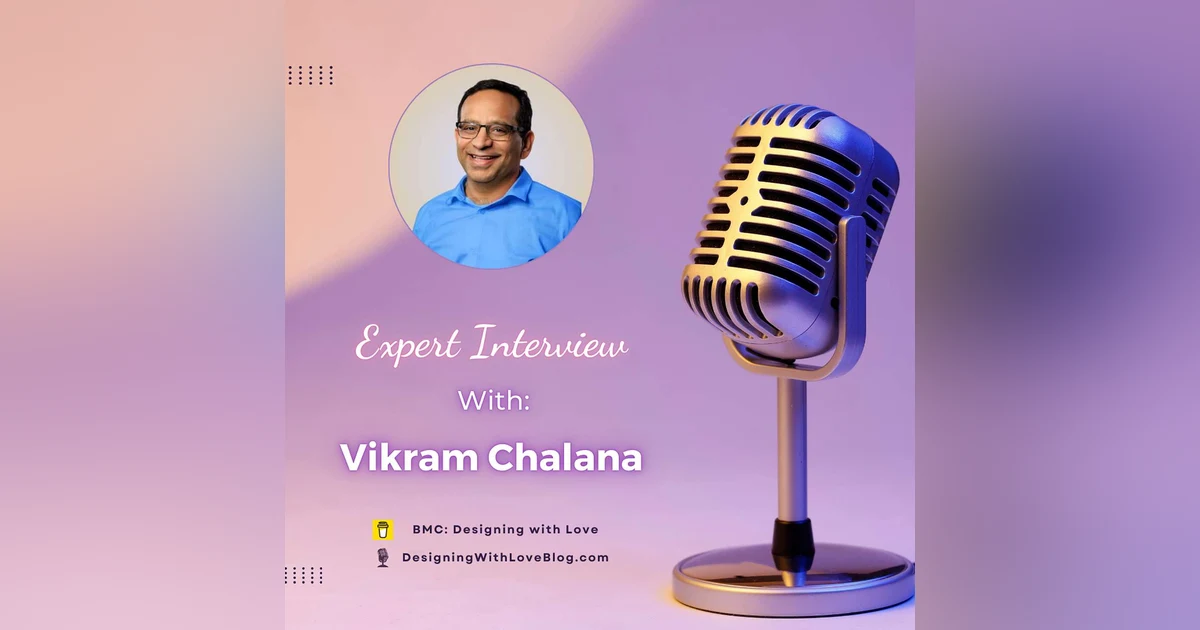
Hello, and welcome to the Designing with Love Podcast. I am your host, Jackie Pelegrin, where my goal is to bring you information, tips, and tricks as an instructional designer. Hello, instructional designers and educators. Welcome to episode 132 of the Designing with Love Podcast. I'm thrilled to have Vikram Chalana with me today. Vikram is the co-founder of Pictory, an AI video platform built to make video creation and content repurposing accessible to everyone. And I love that. Over the past five years, he has helped grow Pictory with a clear focus on removing the complexity from video production so creators, educators, and businesses can turn ideas into videos faster. Welcome to the show, Vikram.
Speaker 3
Thank you, Jackie. It's great being here. Thank you for the invite.
Jackie Pelegrin
Anytime, yes. I'm so glad. I always like to give a little shout out to PodMatch because it's a great way to connect hosts with guests like yourself. So I'm always grateful for that opportunity.
Speaker 3
Amazing.
The Pain Point Behind Pictory
Jackie Pelegrin
Yes. So to start uh our interview, uh, can you tell us a little bit about yourself and share what inspired you to create Pictory for creators, educators, and businesses, as I mentioned in the opening.
Speaker 3
Yeah. Uh so a little bit about myself. I I'm in Seattle. I married, have two grown kids. One of my uh kids is an educator herself. She's a K through 12 teacher, middle school history teacher. And uh so, and my wife is a teacher as well. So it's just been I've been I'm surrounded by educators everywhere. And uh, but my my own background is an engineer, uh turned uh entrepreneur. Wow. So yeah, I I worked for a few companies in Seattle, and then for the last 20 some years, I've been uh building startups and growing them and scaling them and turning around and starting another one. So this is on my I'm on my third journey here with Pictory. Um and uh it really evolved from a problem that I saw at my last company that I was building. We had we had 300 people in the company, and uh and we had one person who could make videos, but we saw so much need for video. Every department was asking for videos. Engineering was asking for training videos, marketing was asking for videos, uh train training teams were asking for videos for customers, HR was asking for videos. So this there's a lot of demand and not enough uh people who could create videos because the learning curve for some of those tools like Adobe Premiere and and so on is so steep. Uh and uh and I tried myself, like I was a CTO and I was trying to create some uh blog pages, some thought leadership material, and uh I struggled with video. It was great to create text. I uh it was easy to create text type stuff, but it's really hard to create videos. And uh and I tried to pick up some of those tools like Premiere and Camtasia and stuff, and I really struggled. Like as
Three Core Product Design Choices
Speaker 3
soon as I saw the timeline, I got lost. Timeline editor just completely flipped me out. And I'm like, why can't this be easier? Why can't it be more like a PowerPoint like experience? And uh um and then why can't more people do it? Why do we have to just always rely on this one person? Right. So we saw, we saw like so it was a personal challenge that I was trying to solve, and then we saw what Canva was doing around making the design process really easy with you know beautiful tools, templates and so on. And then we also like this was we started this in 2019, 2020, and AI was just starting to come out, and we saw what AI was potentially capable of. And uh, and we said, okay, let's kind of marry what Canva was doing and what AI is capable of, and create something that everybody needs right now, uh, which is video. Right and help help help that process along. And uh so got together with my founders, we all kind of resonated on the problem, and and we all had faced it before, three of us. Uh, and and so we said, okay, let's let's try to build something around here. Um and uh and so literally it was for business people like us that we were creating it for. But my wife, as I told you, was an educator. My daughter was just in in uh her degree program then. And uh and they also got pretty excited when I showed them what we were building. And so so that was another like, okay, this this has legs not just in in business, but also in education. Uh, and uh, and so that's that's what we've been building and and doing for the last uh six years or so.
Jackie Pelegrin
Wow, that's exciting. I love that, Vikram, because you know, as you were talking through that, it just reminded me of the job I do every day, which is to look and see where is there uh where's there a gap or where where's there a need? And then you do a needs assessment and you see where can we solve that that problem or that issue and how can we make things better for people, right? Help make learning better for them. And so that's that's great. You uh you didn't know it, but you were doing instructional design along the way.
Speaker 2
That's what entrepreneurs do, that's what instructional designers do. I see a lot of similarities. That's great.
Jackie Pelegrin
Right, exactly. I love that. So thank you for sharing that because that that's wonderful to hear kind of how you got to where you are. And it was this wasn't your first, as they say, rodeo, right? You've done it before, you've been there and and you've done it now three times. So I'm sure you learned through each avenue of entrepreneurship, you learn lessons along the way, like we all do, right? Every place we work, we learn something and we take it with us, right? So I'm sure in this experience you learned from those past ones and said, okay, here's how we're going to make it the best it can be
Why Pick Best‑Of‑Breed AI Tools
Jackie Pelegrin
as well.
Speaker 3
And mistakes to avoid right.
Jackie Pelegrin
Exactly. Yep, those lessons learned, absolutely. Yes. I also like how Pictory's promise on the website is video without the headache. I love that because what do we want to do? We want to we want to get rid of the headaches for people. Um, so from a leadership standpoint, what decisions did you make to keep the product focused and simple, especially while AI capabilities keep expanding, as you were talking about? I mean, it's just almost on a weekly basis, it seems.
Speaker 3
Yeah, yeah. This is a really good question. And uh any business or any course that as instructional designers you create, you always are making design choices up front. Like, okay, this and and and by design choices, you're also just defining, you know, who are you building it for very clearly. Uh and so it's not for everyone, it's for this persona. And and you kind of think through that. You're also saying no to a lot of things uh while while incorporated. So so it's really those design choices are really important. And so that's why I really like this question, uh Jackie. Um the the three design choices that we made uh is in the very beginning were uh, as I told you, I really got messed up with the timeline editor. I'm like, this is this shouldn't be a timeline editor, it should be simple like PowerPoint. So so that's been one of our design principles. We need to keep it simple like PowerPoint uh and easy. Uh so just it so when you go, even if you today go into our platform, pictory.ai, sign up, you'll see it's such an easy experience. It's such a smooth, simple experience. Um so that that was one. Um the second one was I call it the
Time Savings For Instructional Designers
Speaker 3
blank screen problem or the white page problem, uh where you come into a program and there's nothing there and you're completely lost. Like what am I gonna do with it? Um you open Word, by default, it's a scratch pad, and and you have to kind of start thinking about okay, what am I writing and and stuff. So the the choice we made was we wanna we wanna allow people to repurpose content that they have. Whether it's slide decks that you have, whether it's published articles, blogs, whether it's just ideas that they have, we even suggest the ideas to you now. Uh so you never you never find yourself in a blank slate. You always have something to to start with. I like that.
Speaker 1
That's great.
Speaker 3
So that's that was another kind of uh design choice that we make. It's the the idea of repurposing content that you already have. And the third the third design choice was more around technology, and uh and I'm I'm kind of glad we made that because we're like we decided, hey, we don't we don't have the chops to build AI models. And uh we're not gonna do AI models, but we're gonna find the best of the breed, the state-of-the-art models, and we're always gonna incorporate
Workflow 1: PowerPoint To Video
Speaker 3
the best in our product. So so that was another like it's a design choice that you make that hey, I I don't wanna be in the business of training claw clawed like models or chat GPT-like models, but I want to use them as much as I can. So, so what you see in our product right now is a lot of models integrated nicely, but you don't even know as a user like what it's using. So we use OpenAI for many things, we use uh Google Nano Banana for some image generation, we use VO, we use 11 Labs for voiceovers. So we just take the best in the industry and we've integrated it into the product and and given the users a very easy experience, and then they can repurpose the content from from there.
Jackie Pelegrin
Wow. I really like that. I like how you you picked the best of every part, right? And melded it together so you create the best of both of all the worlds, right? Instead of just picking one and picking a one lane and saying, oh, we're just gonna go with Chat GPT models, and then that's it. And not not figuring out that there's other great tools out there that have things that they're really good at, right? That you can utilize. Yeah. That's great. Yeah.
Speaker 3
Like 11 Labs has amazing voice voices, voiceovers. They're very good. So it's like, okay, let's pick those. Well, Chat GPT has an amazing text model. Let's pick that, that kind of thing.
Jackie Pelegrin
Right, exactly. So you're utilizing, you're taking what it is you need and you're you're extracting the best and incorporating it. I like that. Yeah, that's great. Thank you for sharing that because I think that's so important for listeners to hear that that that you went through that process early on. And as you were thinking about the user experience, how can we make it the best it can be and make it as as seamless as possible, right? So the the user doesn't have to really think hard about that and and get a headache, right? You know, they they can do it in a way that feels natural to them.
Speaker 3
Yeah, and as I as I see like our users uh who might be instructional designers, many of our customers are instructional designers, they they don't have time to evaluate models or evaluate all the AI tools that are available, or what's the best voice tool. And so kind of we we took it on ourselves to distill that to do the work of evaluation. So we pick the best.
Jackie Pelegrin
Right. Exactly. So you're saving them that time and energy that they would normally be doing, all the research and testing things out, and you've already taken all of that uh part and just yeah, made
Workflow 2: Script Or Prompt To Video
Jackie Pelegrin
it so that they could just dive right in and and re and create the content, or like you said, repurpose it if they want to do that, right? So you're taking out that that early part that can take so much time and energy. I know I've been there and I've done that for sure. It's like there's so much out there. It's like, how do you know what's good? And yeah, and then yeah, you end up with all these accounts and subscriptions, and then you forget you have them, and yeah, it's a challenge for sure. Yes. So I wanted to also make this practical for as we were talking about with educators and also training teams and corporations. So can uh Vikram, can you walk us through two to three concrete workflows where Pictory shines for learning content, such as turning a script, an article, like you mentioned, or a URL into a training video? And what would you recommend as best practices for keeping the learning objective front and center during that process?
Speaker 3
Yes. Uh so the the two or three workflows that we have that really resonate with instructional designers, uh, because I know as instructional designers, most people deal with PowerPoints a lot. Right. Uh and uh so we've built one workflow that will turn a PowerPoint to a video automatically. So uh what you do is you upload the PowerPoint. If it has slide notes, you can you can make the slide notes as your narration, or the AI will automatically create the narration just looking at the slides. And then it'll then it will add the voiceover. You can add an avatar if you want. Uh and you can basically in minutes you can have a PowerPoint converted to a
Workflow 3: URL To Summary Video
Speaker 3
to a video um and and ready to go. So so you don't have to make any any anything else. And then then we have another uh product that will you that will let you add uh quizzes automatically into that video. So say it's a five-minute uh video, you wanna uh you wanna have at least a quiz every couple of minutes, every two minutes. So it will automatically insert the quizzes, and while the video is playing, it'll pause the video, it'll force you to do that knowledge check, and then and then move on. So that workflow works really well. Um and uh and it's uh um I I feel it's really powerful for for educators, but also for corporate training teams.
Jackie Pelegrin
Right. I love that. That's great.
Speaker 3
And uh the second one is uh you can just start either with a script that that you've created or with just an idea, a prompt, and say, hey, give me a give me a video about this or from this. So um sometimes you might use it for introduction to a course, sometimes you might use it as a module itself. Uh but basically what it does is it then matches really nice visuals to that script. Uh we have a huge library, we have we license content from Getty and Shutterstock and stuff. And so it automatically matches video clips to the uh to different parts of the script, adds the voiceover, adds the video clips, uh, adds music if you want. You can add an avatar if you want, and and it converts that to a video. So starting from a I either just a prompt and I idea like make a one-minute video about
Workflow 4: Auto Microlearning From Long Video
Speaker 3
American history. I don't know. I'm just uh and then it'll it'll create that um uh that video and and it'll have very very relevant visuals and uh and in uh in a few minutes you have that video ready.
Jackie Pelegrin
Wow. That's amazing. Wow.
Speaker 3
So so that's the second workflow. And and another another really good workflow is uh URL to video. Now this I think the use case there might be uh if you have knowledge base articles or or other things that you've published already on a website, uh, even if it's internal, like you know, maybe a maybe a canvas page that has uh material in there, you can basically turn that page into a video where it first summarizes that into a video script. And then if it has images on the page, it'll pick up the images. Uh uh or it'll it'll use stock imagery that we have uh and and again put the story together in in the form of a summary video.
Jackie Pelegrin
Wow. So that's great. I could see that being really useful for blogs and things like that where you could turn it into another type of media and yeah, and promote it.
unknown
Right?
Speaker 3
Yep, exactly. And and I mean that's like we're not talking about marketing, but that's a very common marketing uh use case where they want to create YouTube as a channel. Because YouTube is like the big, big uh uh search engine, second biggest search engine. Um, and you get found. And then one other workflow that that we have that is super useful uh for educators is you know, long videos like this podcast recording. Um you may want to create multiple micro learning
Best Practices: Keep It Short And Accessible
Speaker 3
units from that one long video. Uh and and we can automatically slice it for you, uh, find the right places and create short units like one or two minutes long each, or or whatever you designate, and create several videos from one um from one long video.
Jackie Pelegrin
Oh, that's great. I love that because that's one of the trends in higher education, and I think probably even workplace training too is microlearning, uh being able to chunk it out, right? And make it more accessible because our attention spans are getting shorter and shorter, right? So yeah, people don't want to listen or watch a uh hours long video. Yeah, so it's hard. Yeah.
Speaker 3
And I mean, some of the best you like you asked for some of the best practices. That was gonna be my my biggest recommendation is keep it short. Right. Like two to three minutes long, and I think that's well known now in instructional design to keep videos about that long. Um add captions, add voiceover, um you know, um add avatars because they keep the engagement high, add quizzes, knowledge checks along the way. Um those are some of the things that that we've kind of built in our product.
Jackie Pelegrin
Wow, that's really great. I like that. So the quizzes, it sounds like they can do like multiple choice, true-false, uh maybe drag and drop, things like that. So there's different types of knowledge checks that they can do.
Speaker 1
Yes.
Jackie Pelegrin
Yeah, that's really great. I love that. And it'll find the place where it's the best fit for it. And automatically, yeah.
Speaker 3
Yeah, exactly. It automatically inserts the quizzes, it uses AI to figure out the content, and then says, here's a couple of questions that I want to ask at this point.
Jackie Pelegrin
Wow, that's great. And with the avatars and the voiceover, uh, is there a way to create um maybe an avatar based on someone's likeness?
Quizzes, Captions, Voices, Avatars
Jackie Pelegrin
Like, for example, if I wanted to um be able to show that it was that I mean that the AI can clone me kind of in a way. Is there a way to do that as well with Pictory?
Speaker 3
Uh so it's coming next month. So we're working on it. Yeah. So right now it's a bunch of uh standard avatars, but uh but next month we'll be we'll be able to clone your voice as well as your um your face.
Jackie Pelegrin
Wow, that's great. I think that would be great for training videos where you want to have, like you said, the avatar in uh because there was a there was a student I had in one of my classes, actually a couple of my classes, and she works for the same organization, just a different division. And she said, you know, it's great when we can use the faculty subject matter experts and we can take five minutes of their their video. Well, that's like basically a video, but she just has them record themselves for five minutes on video and has them read a script, and then she's able to go in and actually clone, clone it. So I'm like, wow, that's amazing. And then she'll have to keep going to her and saying, hey, can you do this and that? And we have to redo this, and so it definitely saves a lot of time.
Speaker 3
Exactly. That's that's kind of the vision. And and I had faculty members in mind in when we were building this because they're kind of super busy, and then they're coming to the instructional designers just so so with the PowerPoint workflow that I talked about, that's exactly kind of what they they they'll create the material as PowerPoint, send it to the instructional designer, and they they can add their avatar and and just have the video ready to go. Or they can do it themselves.
Jackie Pelegrin
Right. You know, I can you know, Vikram, I can see this really being great for instructors like me who teach online classes, and we want to be able to go beyond the given curriculum because we have at GCU it's a it's a curriculum that is um Now the the ground instructors, they have a little bit more flexibility in how they can teach the content and the assignments are there. We what we do is we build it for all the different modalities
Upcoming Voice & Face Cloning
Jackie Pelegrin
for online, on ground, and things like that. But for online, they they don't have that ability to switch things around, right? It's more um not really prescribed, but it's yeah, I guess it kind of is. It's it's more of a centralized curriculum. But the online faculty are always encouraged to be able to add their own personality to it, right? And and give the students that that experience. So since adaptive learning is also a big thing in higher education, I can see that being really helpful for those instructors to instead of doing text announcements like me, I maybe I can go to video announcements and and then personalize them for each class instead of feeling like it has to be canned for each class, right?
Speaker 3
Yeah, and that's a really good use case. Uh I'll tell you one story, because I talked to a teacher and uh and I was blown away by that. She's not an online instructor, she's a middle school teacher, and uh and she was saying she uses these videos, she'll turn her PowerPoint material into videos, adds a male voice, a voiceover, not her voiceover, a male voiceover, and plays the video in class, and the kids seem to have better engagement and retention because it's a male voice.
Jackie Pelegrin
Wow.
Speaker 3
That's interesting. I was blown away. I'm like, you know, this is that real. But she says, yes, that's that that's work that works because mo many of the kids didn't have like male role models around them. She was in an inner city school.
Jackie Pelegrin
Oh, okay. That makes sense. And so they sent tended to gravitate towards that male voice rather than a female voice. Wow. Wouldn't have even thought of that, but I can see where that makes sense now.
Speaker 1
Yeah.
Jackie Pelegrin
Wow, that's interesting. So she she learned what her students gravitated towards and then she adjusted
Personalization & Classroom Engagement
Jackie Pelegrin
it to that. Wow.
Speaker 1
Exactly.
Jackie Pelegrin
Wow, that's really neat. Wow. That's cool because like I, you know, I have videos for all the different assignments in the classes and that I teach. And then when they revised the program and all the classes, I had to redo every single video assignment. I ended up using Canva and then I did the present record. But it was a lot of work having to do that because these classes are six weeks long, so that's six assignments, and I teach seven classes. So that's a lot. And then, you know, if you mess up the script, I you know, I'd have to pause it, go back, redo it again. So it was never right the first time, hardly ever. I mean, once in a while I would get it right the first take, but more often than not.
Speaker 3
Is it always you're sharing a PowerPoint deck or you're doing more?
Jackie Pelegrin
Yeah, usually it's a PowerPoint deck, and then I um I wouldn't have my avatar on there because I didn't want to distract from you know what was on there, but I would just keep it minimal and then I would do my uh my voiceover with it and then just use the present record in Canva. But I I love this idea because then you can just have the PowerPoint, like you said, and then just upload it right there. Yeah.
Speaker 3
And if it changes, all you do is replace the slide and and um change the voiceover if you need to change the script. So I would love for you to try it too.
Jackie Pelegrin
Be be uh Yeah, I would love to do that.
Speaker 3
We'd love we we'd uh we'd give you a uh uh a license to to play around with it for sure.
Jackie Pelegrin
That'd be fun, yeah. And then when that uh that new feature comes out next month, I'd I'd love to test it out and and everything. Yeah, that'd be great. Because I'm sure I can find some ways to use it. I'm sure. Yeah, that'd be great. I would love that because there's uh there's other tools out there, uh, but it would it's always good to experiment and see, you know, what what are what else is out there? And it sounds like you really thought long and hard. You and your co-founders um thought long and hard about this experience for the users and and then how it would help
Updating Courses Without Re‑Recording
Jackie Pelegrin
with learning down the road. So I love that. Yeah, definitely. Yes. Uh and one concern, and I'm sure you've heard you've heard it from educators, is that AI video can feel generic, right? Or inaccessible. So, how do you advise teams to improve on clarity, accessibility, and quality? You know, things like captions and pacing and voiceover. So videos work for the real learners, not just marketing content.
Speaker 3
Yeah, so keeping them short, like as we were talking about, three to four minutes long, uh, keeping them authentic. That's what that repurposing content really helps. Like if you have your slides, use those. If you have your content, use that as much as possible. Right. Uh so it's not generic marketing content. Uh for accessibility, making sure you add captions. We have that as a default feature in our product. Add captions, add a voiceover, um and uh use a good voice, ideally your own voice that you clone. Uh but uh but there's um yeah, so I think like those are the uh those are the things and keep keeping scenes short uh so that keeps the engagement level high um between uh for users. Um the same best practices we talked about kind of apply here too.
Avoiding Generic AI: Authentic Inputs
Speaker 3
It's like, okay, this is we're trying to keep the material more engaging.
Jackie Pelegrin
Right, exactly. It's like they uh like it said, there's this one saying about PowerPoint, um, because you don't want to overload too much text on the slides, right? And you don't want to have the image not relate. Um, that follows Mayer's multimedia design principles. And so um, but I can't forget death by PowerPoint, right? That's what they call it. So the same thing with videos. We don't want to have these videos that are just oh so boring, and then people click away, you know, a couple minutes later and they don't want to engage with it, and it just leaves a bad experience for them, and then they're like, I don't want to watch any more of these. Yeah, so that's important.
Speaker 3
That's why the short the short thing is important. I mean, so so so it's really hard to communicate dense topics without, you know, uh there's some slides and and and other material, and and finding alternative ways can can take too much effort. Right. So you have to find the right balance and uh um and we're like we're working on technologies, AI technologies that can actually create very nice uh visualizations beyond what's in the PowerPoint. So we might be able to take your slide itself and make it more visual, uh or you know, or even even have like animations automatically added in in this in the slide. So so so some of that we already have in the product, others are things that we're working on. So we're constantly trying to improve that experience.
Jackie Pelegrin
Wow, I like that. I like the being able to add the animations because it's something you
Beyond Slides: Visuals & Animation
Jackie Pelegrin
know you often don't think of when you're creating a PowerPoint. You know, it's kind of one of those things that's it's an afterthought sometimes, and then you're like, oh yeah, I guess I should add some animation to it so it's not just static images, but brings life brings it to life a little bit more. So I like that. Great, I love that. Well, I'm excited to test it out, check it out, and yeah, um that's I'm looking forward to it.
Speaker 3
And I'd love your feedback. We'd all love your feedback on this.
Jackie Pelegrin
Great. I love it. So I wanted to do a quick bonus question. If you had to give instructional designers a pictory power move, as I like to call it, what's one underused feature or approach that can help them repurpose content into multiple learning assets efficiently?
Speaker 3
Um, I think what we've been talking about, like the PowerPoint to video, that's the power move. For for instructional designers, that's like the uh the solid use case there. And it's super easy to use, and it's just very easy to convert that into a valuable asset.
Jackie Pelegrin
Great. I love that. Yeah, there's there's nothing better than taking uh PowerPoint you did years ago and then giving it fresh new life, right? And and giving it some animation and some different uh ways for the learners to engage with it as well. I love that. Yeah, because I have some from years and years ago that I could probably be like, hmm, maybe I can re redo this because it maybe is a video like a devotional or something, and you know, maybe I can revisit some of those and see if I can give it fresh life and give it something different, yeah, because things have changed in five years.
Speaker 3
Oh, yes, sure. Yes, yes, yes.
Jackie Pelegrin
They have improved a lot, definitely. Yeah. So the final question I wanted to do as we wrap up is if listeners remember just one thing from our conversation today, Vikram, what's the most important mindset shift you want educators and LD teams that are doing training
The Pictory Power Move
Jackie Pelegrin
to make when adopting AI for video creation?
Speaker 3
I think repurposing, repurposing content. Just don't you don't always need to create things from scratch. You already have so much content. From your SMEs, they're sending you so much content. From uh uh you've probably already created content. Repurpose it in different ways, more engaging ways. And keep it short. I think that those are two key takeaways.
Speaker 2
I think we already talked about the short, the importance of keeping it short, but but repurposing is the mind shift that I would love for for folks to adapt.
Jackie Pelegrin
Absolutely, right. Yeah, I'm definitely thinking about my announcements that I do in my classes each week. And maybe what I can do is take that and then repurpose it and give give them short videos that can just give them that. Because in the first week of my classes, I I have uh the announcement the first week, and rather than making it really lengthy and long, I actually made it a genially,
The Mindset Shift: Repurpose And Shorten
Jackie Pelegrin
and so it's an interactive genially, but I'm like, maybe I could kind of combine a little bit of that, still have the interactivity, but then give it some some different kind of interactivity as well with the video. Yeah, I like that. Yeah, so it's always good when you can think of different ways and and repurposing it. I like that. That's great. I love that. So Vikram, thank you again for being here and for sharing these practical grounded insights about AI video creation that my listeners can apply right away because I think it's gonna be so important for them to have that as well. So uh that's that's really great. I love it. Um, so for anyone who wants to keep learning from you, what's the best place to follow you or connect?
Speaker 3
Um, I am a LinkedIn junkie.
Jackie Pelegrin
I am too.
Speaker 2
Yeah. So find me on LinkedIn. Uh collect connect with you, Jackie, so people can kind of uh trace you.
Jackie Pelegrin
Yes, exactly. I'll make sure we're connected, definitely.
Speaker 3
Yeah, we're I'm I'm on LinkedIn all the time and I'm posting there all the time as well.
Jackie Pelegrin
Great. It's a great place to connect with professionals, and it seems like the only place where you can really get that true knowledge sharing across the board, you know, whereas with other social media, it's yeah, I don't know. And it's not not as good as LinkedIn. So I like it. Yeah, it's great. I know I have people connecting with me all the time that are in the the field and educators and instructional designers. So it's really great to get to connect with people all around the
Connect On LinkedIn & Closing Thanks
Jackie Pelegrin
world and and be able to share that and have that sense of community that you don't get anywhere else. So I love that. Great.
Speaker 1
Super, yes.
Jackie Pelegrin
Love it. And we'll make sure I'll make sure to share the uh website link as well to pictory. Is it pictory.io, right?
Speaker 3
AI, pictory.
Jackie Pelegrin
Oh my goodness. I don't know why I said that. Pictory.ai. Yes, I'll make sure to share that.
Speaker 3
Any of them will work, yes.
Jackie Pelegrin
Okay, it all leads back to the same website. I love that. Great, wonderful. Well, thank you, Vikram, again. I appreciate it. And I look forward to having you back on the show. Uh, we can maybe dig into some other things. If you think of something, feel free to reach out and we can uh we can have a deeper conversation about some other things too.
Speaker 3
Absolutely, Jackie. Thank you so much. It's been a pleasure. It's such a fun conversation.
Jackie Pelegrin
Yes, absolutely. I'm glad we connected and we'll stay in touch for sure on LinkedIn. Thank you for taking some time to listen to this podcast episode today. Your support means the world to me. If you'd like to help keep the podcast going, you can share it with a friend or colleague, leave a heartfelt review, or offer a monetary contribution. Every act of support, big or small, makes a difference, and I'm truly thankful for you.

Co-Founder of Pictory
Vikram is the co-founder of Pictory, an AI video platform built to make video creation and content repurposing accessible to everyone. Over the past five years, he has helped grow Pictory with a clear focus on removing the complexity from video production so creators, educators, and businesses can turn ideas into videos faster.
📢 Call-to-Action: Check out Pictory’s AI video platform, where you can turn text, blogs, scripts, or long videos into short, professional videos in minutes. It helps creators, marketers, educators, and business owners save time, reduce production costs, and repurpose existing content into video without needing editing skills or complex software. It is a practical starting point for anyone who wants to create more video content with less effort.